
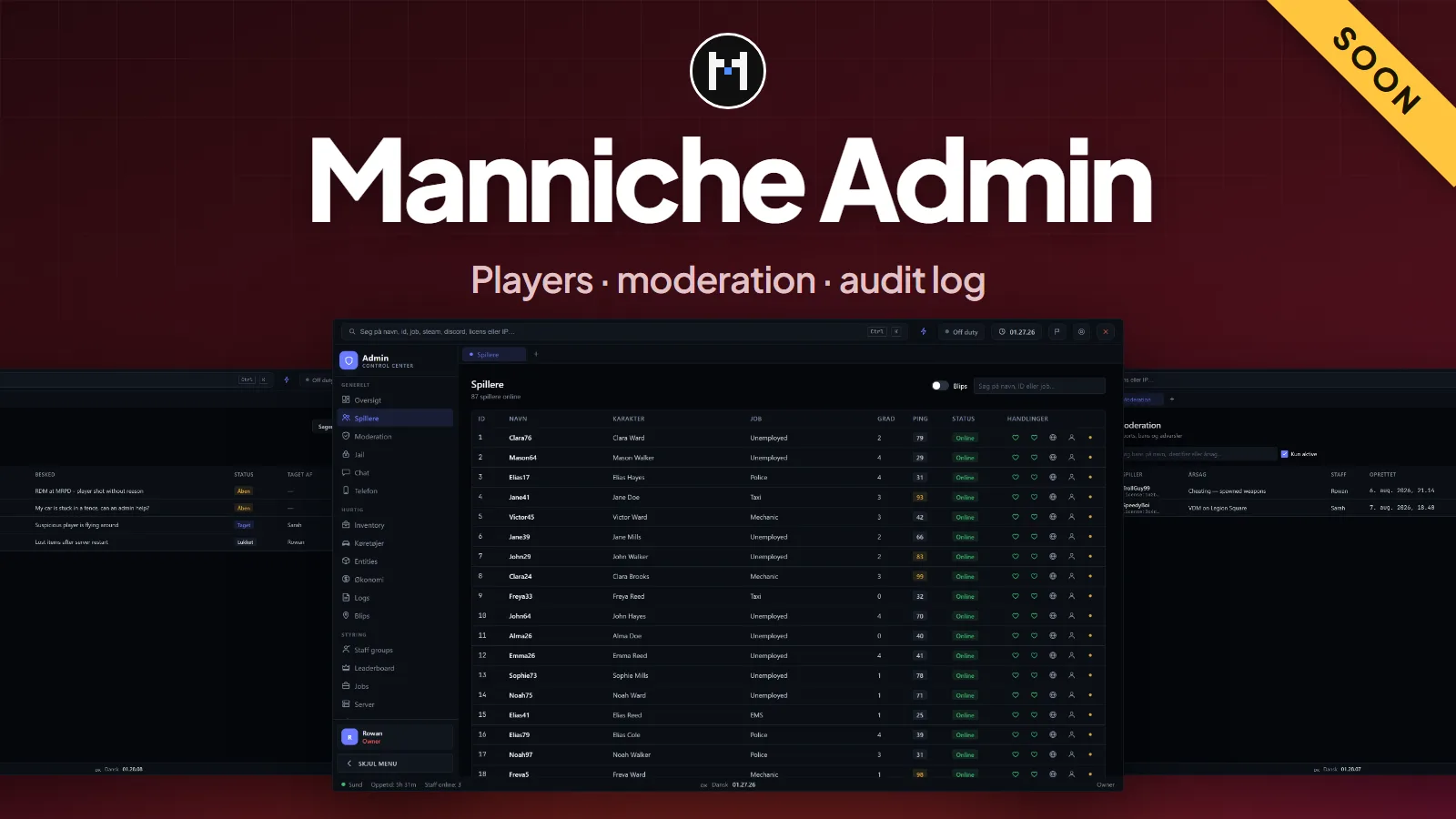
Admin Menu
manniche_adminRequirements
- ESX Legacy (es_extended)
- oxmysql
- ox_lib
- ox_inventory optional
- esx_ambulancejob optional, for revive
- lb-phone optional, phone viewer
The highlights
- Players and moderation. Warn, kick, ban and jail from one panel.
- Staff roles. Roles and permission nodes, editable in the panel. You cannot act on someone of equal or higher rank.
- Economy, inventory and jobs. Tools for money, items and jobs. Inventory tools use ox_inventory when it runs.
- World tools. Tools for the world, entities and the server.
- Reports and staff chat. Players report with
/report. Staff have a chat of their own. - Statistics and audit log. Every action is logged. An audit webhook for Discord is available and empty by default.
Security
All checks run on the server: permission per action, staff hierarchy, rate limits, input validation and distance checks. The raw database browser and the phone viewer need their own permissions, which only owners have by default. Nobody is an owner until you add them.
Configuration
config/config.lua sets the server name, open command and key, jail cells, allowed hosts for avatars, protected resources and rate limits. Roles are in config/permissions.lua.
Frameworks
| Framework | Support |
|---|---|
| ESX Legacy | Supported |
| QBCore, Qbox, standalone | Not listed as supported |
The resource lists es_extended as a dependency.
Install
- Put
manniche_adminin yourresourcesfolder. - Import
sql/install.sql. All tables are namedmanniche_admin_*. - Add
ensure manniche_admintoserver.cfg, after es_extended, oxmysql and ox_lib. - Join the server, run
/myid, and copy yourlicense:identifier intoConfig.Ownersinconfig/server.lua. Restart the resource. - Open the panel with
/adminmenuor F10.
This resource is not released yet. Join the Discord to hear when it is.
- Free updatesBug fixes and new versions cost nothing for as long as the script is maintained.
- Easy setupDrop it in, add one line to
server.cfgand changeconfig.lua. The docs cover every option. - PerformanceBuilt to stay light on the client and the server, with nothing running when it is not needed.
- Support on DiscordOpen a ticket in the Discord and get help from the person who wrote the script.
Questions
Which framework does it need?
It runs on ESX Legacy (es_extended). Everything it needs is listed under Requirements at the top of this page. Unsure about your setup? Ask on the support page.
Is it escrowed?
The script is delivered through Cfx.re, and protected files only run with a key from your account. The config files stay open, so you can change them. More on the support page.
Are updates free?
Yes. Bug fixes and updates are free for as long as the script is maintained, and they show up in your Cfx.re portal. Patch notes are posted in the Discord. See the support page.
Can I get a refund?
The refund policy says what applies.
Got a Question?
The docs have the install guide and every config option. Still stuck? Open a ticket in the Discord.
Get Support