
Crosshair
manniche_crosshairRequirements
- ESX Legacy, QBCore, Qbox or no framework
- oxmysql optional, only for MySQL storage
The highlights
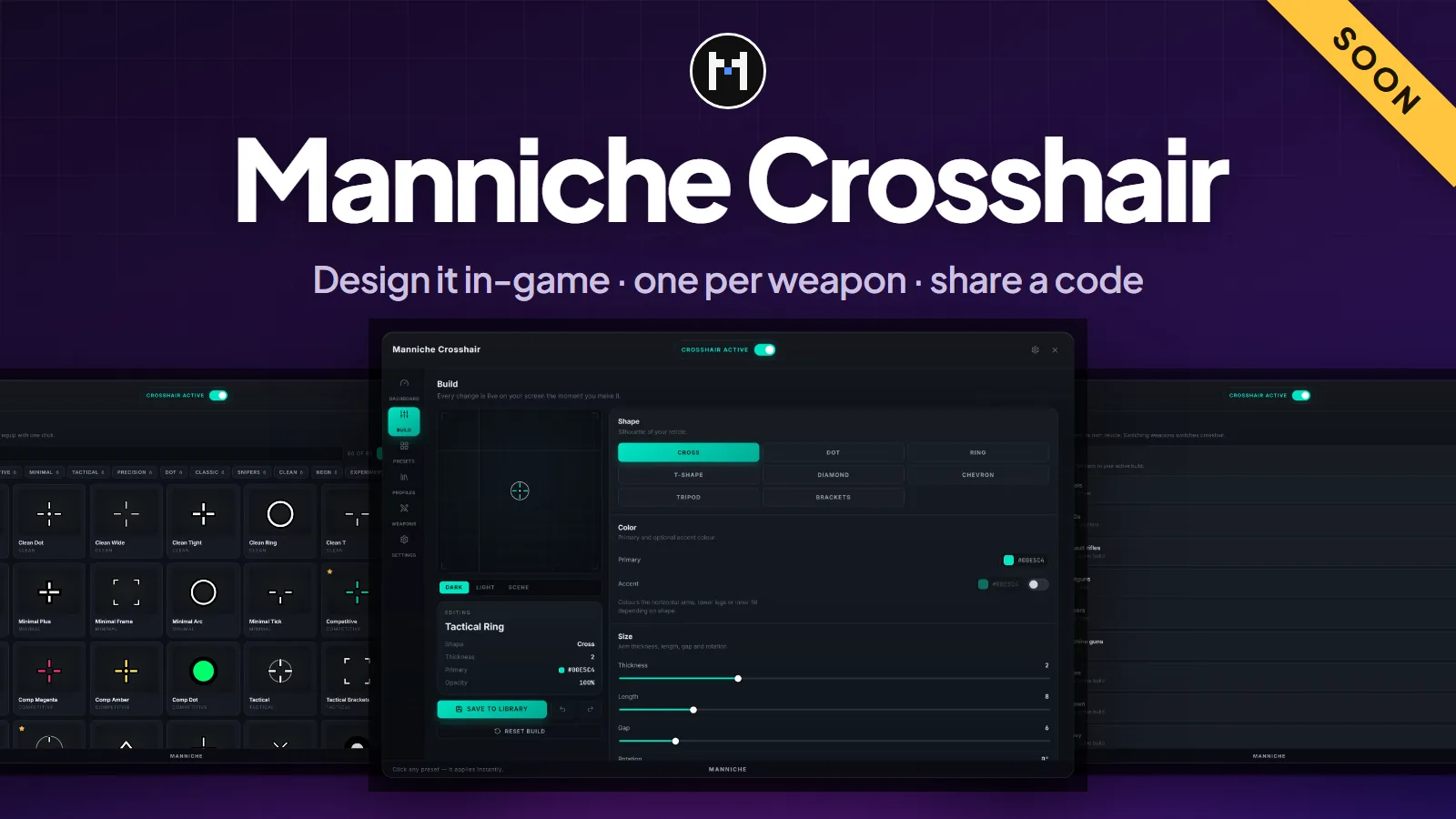
- In-game editor. Shape, colour, size, outline, centre dot and ring, with a live preview.
- Presets. More than 60 built-in presets, plus favourites and recent builds.
- Profiles per weapon. Players keep several profiles and pick a different one per weapon class.
- Share codes. A build becomes a short code with a checksum. Players import and export codes in the editor.
- Light overlay. The reticle is drawn by the browser layer, so it costs no draw calls.
- Own font, no remote requests. The font is served by the resource itself.
Optional features
Hit feedback and fire expansion can be switched on in config.lua. The UI is available in Danish and English. An admin tool is off by default: set Config.Admin.enabled = true and grant the ACE manniche_crosshair.admin.
Storage
Profiles are stored per player licence. The default is a JSON file written by the resource. Switch to MySQL if you prefer.
| Storage | Needs |
|---|---|
| JSON file (default) | Nothing. data/players.json |
| MySQL | oxmysql and sql/install.sql |
Frameworks
| Framework | Support |
|---|---|
| ESX Legacy | Detected by itself |
| QBCore | Detected by itself |
| Qbox | Detected by itself |
| Standalone | Works with no framework |
The resource has one client file per framework and picks the one that is running.
Install
- Put
manniche_crosshairin yourresourcesfolder. - Add
ensure manniche_crosshairtoserver.cfg, after your framework. - Players open the editor with
/crosshair. There is no default key: they bind one under Settings, Key Bindings, FiveM, or you setConfig.OpenKey. - For MySQL, import
sql/install.sqland setConfig.Storage.driver = 'mysql'.
This resource is not released yet. Join the Discord to hear when it is.
- Free updatesBug fixes and new versions cost nothing for as long as the script is maintained.
- Easy setupDrop it in, add one line to
server.cfgand changeconfig.lua. The docs cover every option. - PerformanceBuilt to stay light on the client and the server, with nothing running when it is not needed.
- Support on DiscordOpen a ticket in the Discord and get help from the person who wrote the script.
Questions
Which framework does it need?
It runs on ESX Legacy, QBCore, Qbox or no framework. Everything it needs is listed under Requirements at the top of this page. Unsure about your setup? Ask on the support page.
Is it escrowed?
The script is delivered through Cfx.re, and protected files only run with a key from your account. The config files stay open, so you can change them. More on the support page.
Are updates free?
Yes. Bug fixes and updates are free for as long as the script is maintained, and they show up in your Cfx.re portal. Patch notes are posted in the Discord. See the support page.
Can I get a refund?
The refund policy says what applies.
Got a Question?
The docs have the install guide and every config option. Still stuck? Open a ticket in the Discord.
Get Support