
Notify
manniche_notifyRequirements
- ESX Legacy, QBCore, Qbox or no framework
- On ESX: esx_notify stays installed but stopped
The highlights
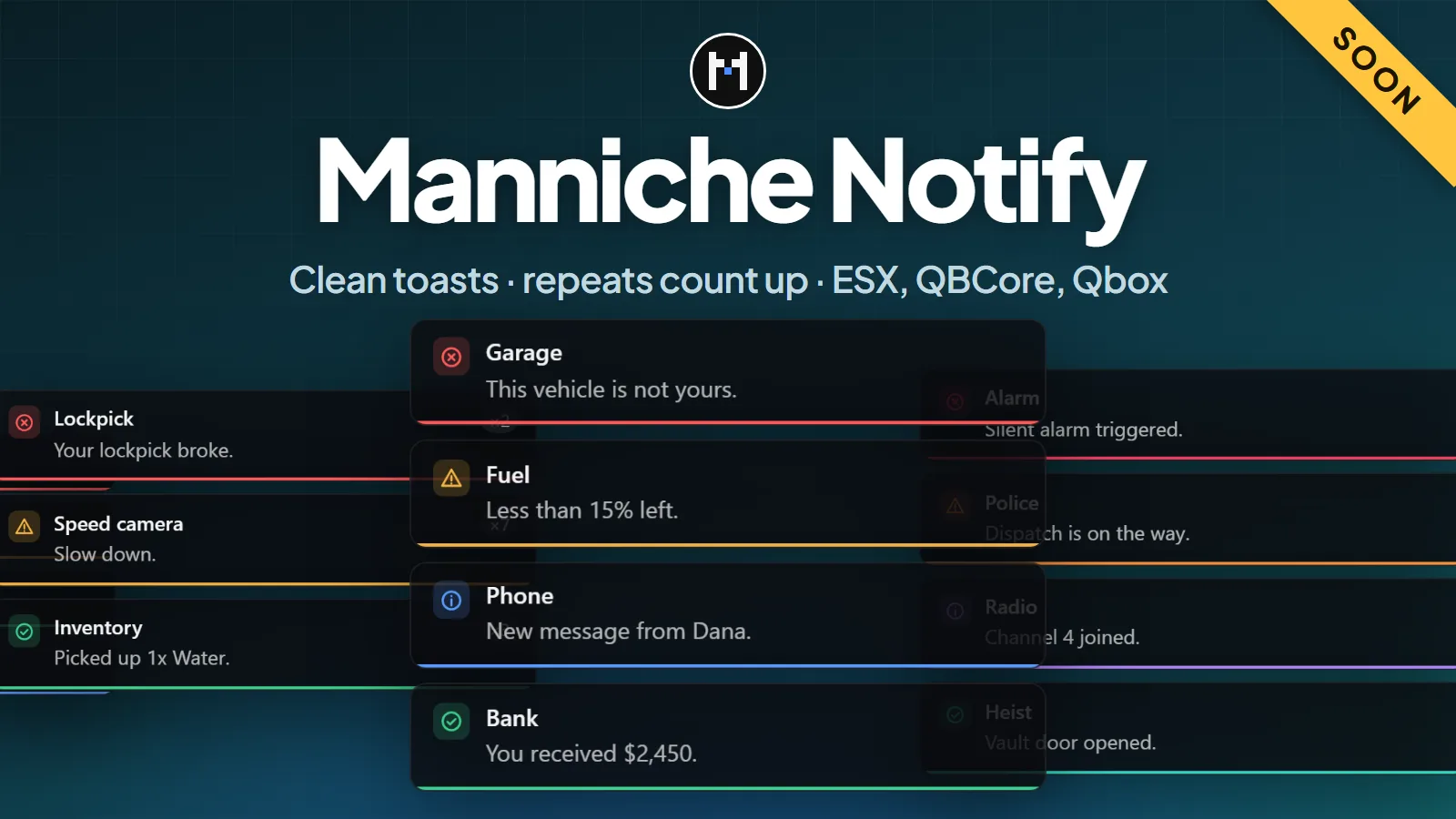
- Four types. Info, success, warning and error, each with its own colour and icon.
- No spam. The same message again counts up (x3) instead of stacking.
- Takes over ESX.
ESX.ShowNotificationandxPlayer.showNotificationshow here, with no change to ESX. - Any spot. Top, bottom or the middle of either side. A script can pick its own spot per message.
- Safe text. GTA colour codes and HTML are stripped, and text is cut at 500 characters.
- Light. Plain HTML and CSS, no framework, and nothing runs while no message is shown.
For developers
Scripts call exports.manniche_notify:notify from the client, or from the server with a player id or -1 for everyone. The fields match ox_lib's lib.notify (title, description, type, duration, position, id), so most calls can be switched by changing the export name. A new message with the same id replaces the old one.
Configuration
config.lua sets the position, how long a message stays, the most messages shown at once, a sound with each message, the colour of each type and whether ESX messages are shown here.
Frameworks
| Framework | How it works |
|---|---|
| ESX | ESX's own notifications are shown here. Stop esx_notify in server.cfg. |
| QBCore, Qbox | Scripts call the export |
| Standalone | Scripts call the export |
The resource has no other dependencies.
Install
- Put
manniche_notifyin yourresourcesfolder. - Add
ensure manniche_notifytoserver.cfg. - On ESX, add
stop esx_notifyafter your core resources and beforeensure manniche_notify. Keep esx_notify installed, because ESX needs to find it.
No SQL is needed. This resource is not released yet. Join the Discord to hear when it is.
- Free updatesBug fixes and new versions cost nothing for as long as the script is maintained.
- Easy setupDrop it in, add one line to
server.cfgand changeconfig.lua. The docs cover every option. - PerformanceBuilt to stay light on the client and the server, with nothing running when it is not needed.
- Support on DiscordOpen a ticket in the Discord and get help from the person who wrote the script.
Questions
Which framework does it need?
It runs on ESX Legacy, QBCore, Qbox or no framework. Everything it needs is listed under Requirements at the top of this page. Unsure about your setup? Ask on the support page.
Is it escrowed?
The script is delivered through Cfx.re, and protected files only run with a key from your account. The config files stay open, so you can change them. More on the support page.
Are updates free?
Yes. Bug fixes and updates are free for as long as the script is maintained, and they show up in your Cfx.re portal. Patch notes are posted in the Discord. See the support page.
Can I get a refund?
The refund policy says what applies.
Got a Question?
The docs have the install guide and every config option. Still stuck? Open a ticket in the Discord.
Get Support