
Radial Menu
manniche_radialRequirements
- ESX Legacy, ESX 1.1 or 1.2, QBCore, Qbox or no framework
- A keys script optional, for vehicle locking
- manniche_notify or ox_lib optional, for messages
The highlights
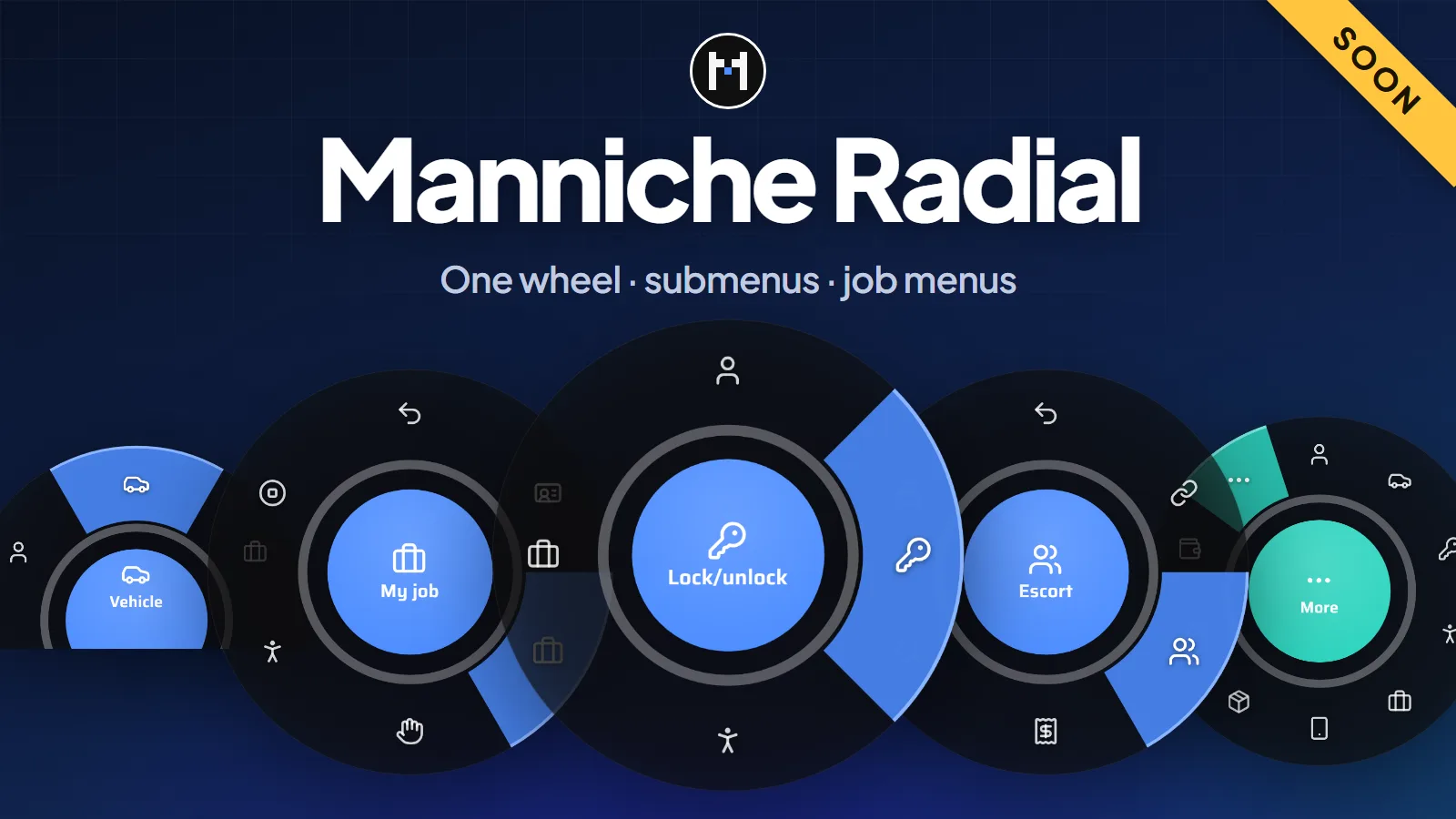
- One wheel. Icons sit around a ring, the item under the mouse is highlighted and submenus open in the same wheel with a Back item first.
- On foot and in a vehicle. On foot the wheel sits in the middle of the screen. In a vehicle it can become a half circle at the bottom edge. Both are set in
config.lua. - Ready-made menus. Server ID, job and grade, hands up, animations, engine, lock, doors, windows, seats, extras, hazard lights and the interior light. Remove or reorder what you like.
- Job menus. Give each job its own items, from a minimum grade and optionally only on duty.
- Extra menus. Further menus with their own key, items, colour and shape, for example an emote menu on F4.
- Add items from other resources. One export adds an item to any menu, and it goes away when that resource stops.
Press or hold
Players can press the key to open the wheel and click an item, or hold the key, point and let go. Looking around, shooting and the pause menu are blocked while it is open, but players can still walk unless you turn that off. Past ten items the rest move to a More item. Icons are any Lucide icon by name, or your own image by link, and every label is set in config.lua.
Locking vehicles
The server decides who can lock. A player can lock a vehicle they own, one the owner gave them keys to with /givekey, or one a supported keys script says they have keys for (qbx_vehiclekeys, qb-vehiclekeys, Renewed-Vehiclekeys, wasabi_carlock, jaksam's vehicles_keys, MrNewbVehicleKeys or p_vehiclekeys). The UI only sends back the id of an item the client offered.
Frameworks
| Framework | Vehicle owner |
|---|---|
| Qbox | player_vehicles.citizenid |
| QBCore | player_vehicles.citizenid |
| ESX Legacy, 1.1 and 1.2 | owned_vehicles.owner |
| Standalone | No owners. No jobs. |
The framework is detected by itself (framework = 'auto'). On ESX, esx_animations also binds Z and F3, so you may want to stop it.
Install
- Put
manniche_radialin yourresourcesfolder. - Add
ensure manniche_radialtoserver.cfg, after your framework. - Change what you like in
config.lua. The default key is Z and players can rebind it under Settings, Key Bindings, FiveM.
No SQL is needed. This resource is not released yet. Join the Discord to hear when it is.
- Free updatesBug fixes and new versions cost nothing for as long as the script is maintained.
- Easy setupDrop it in, add one line to
server.cfgand changeconfig.lua. The docs cover every option. - PerformanceBuilt to stay light on the client and the server, with nothing running when it is not needed.
- Support on DiscordOpen a ticket in the Discord and get help from the person who wrote the script.
Questions
Which framework does it need?
It runs on ESX Legacy, ESX 1.1 or 1.2, QBCore, Qbox or no framework. Everything it needs is listed under Requirements at the top of this page. Unsure about your setup? Ask on the support page.
Is it escrowed?
The script is delivered through Cfx.re, and protected files only run with a key from your account. The config files stay open, so you can change them. More on the support page.
Are updates free?
Yes. Bug fixes and updates are free for as long as the script is maintained, and they show up in your Cfx.re portal. Patch notes are posted in the Discord. See the support page.
Can I get a refund?
The refund policy says what applies.
Got a Question?
The docs have the install guide and every config option. Still stuck? Open a ticket in the Discord.
Get Support